
Both Steam and GOG offer the third FMV-game of Tex Murphy, but upon booting it turns out it doesn’t work very well in Windows 11. There are solutions offered on both the Steam and GOG forum, by installing ffdshow (that makes the videos work) and VirtualMidiSynth, but I never managed to get the sound working after troubleshooting for about 2 hours.
Luckily I had an old laptop I got last year, for the sole purpose of running Windows XP and games that wouldn’t work properly, such as Black & White. The GOG installer works fine under Windows XP, but the game would crash upon launching.
This is where my new plan came into view: installing the game using 86Box, which will run a virtual machine with Windows 98. Even that was a bit of a gamble, because Overseer is a Windows 95 game. After quite some effort, which was mostly due to finding old software (links from webpages long dead or not updated since the 2000s). I doubt I’m the only one who had a lot of trouble getting Tex Murphy: Overseer to work under Windows 11, so I’ve decided to write this guide.
A warning: it still doesn’t run perfect. It slows down sometimes, the audio can crackle and some textures don’t work properly. It’s not a great experience, but at least it’s a working game.
It’s not for those who aren’t tech savvy (or patient enough to learn as you go). I’ve included premade VMs you should be able to launch, but I haven’t tested this on anything other than my own computer.
With the package I made, you don’t need to download anything else, except for the game (but there’s a torrent included, and I’ll link to it in a moment). I suggest you download the latest stable version of 86Box and the roms, but it’s not required. This package includes 86Box b8200 and the 5.3 roms.
What else is in the package?
- Torrent for the game (both CD and DVD version, but we’ll be using the DVD version, it’s what creates this whole mess after all).
- 86Box + roms.
- Windows 98 ISO + boot floppy.
- Windows 98 tools:
- Overseer Update 1.04
- DirectX 8.0a
- Voodoo 3 drivers
- DVD Express
- Elecard MPEG Decoder 2.0
- DirectX 9.0c (optional)
- K-lite codec pack (optional)
- Virtual machines with both a fresh Windows 98 install (with drivers + DirectX 8.0a) and with Overseer installed. These are in case you don’t want to mess around with this yourself, although I haven’t tested this and it might break with future 86Box updates. It should work with the included version though.
If there’s one thing I’ve learned to hate during my quest to getting this to work, is outdated or dead links. That’s why I’m giving you a few mirrors for the package, so this will hopefully stay up for a long time:
Download: Proton Drive | Google Drive | MEGA | Dropbox
You also need to grab the Overseer DVD. Because the game is still sold on Steam and GOG, I’m not going to directly host it myself, but you can find it on Archive.org. There is also a torrent in the package.
The reason you want the DVD is because of the FMV cutscenes. The CD version has scanlines and they run at 15 fps, on the DVD they are in much better quality and run at 30 fps. And you won’t need to swap the discs, which is just more convenient.
Alright, let’s get started!
Installing 86Box and installing Windows 98
Follow this guide (mirror). It’ll show you how to install 86Box and set up the VM. It uses a slightly older version of 86Box, but the differences are minimal. Instead of a CD-rom drive, you want to set up a 48x TOSHIBA DVD-ROM SD-M1802 1051 (ATAPI). I found the game runs slightly better with a 333 MHz processor and 128MB of RAM.
The boot disk and Windows 98 ISO are included in my package, so you don’t need to grab those again. You can find DirectX and the Voodoo drivers in my package as well. It’s possible to directly mount a folder into 86Box, so you can easily set this up.
You’ll end up with a fresh Windows 98 install with the necessary drivers. In the package there’s also a VM with a fresh Windows 98 install if you don’t want to do this part yourself.
Installing Overseer and black magic to get it working
This is where the magic is going to happen. Hopefully.
- Mount the Overseer DVD in 86Box and install Overseer. It’s a small install, because it’ll read all the files from the DVD while playing.
- Mount the folder with the package. Install the 1.04 update (either copy the files over yourself or run update.exe).
- Install DVD Express. This was a bitch to find, and only thanks to the Wayback Machine was I able to find it here. Ofcourse, it’s already in the package so you don’t need to jump through hoops.
- Install Elecard MPEG Decoder 2.0 (empgdec20).
- Mount the Overseer DVD again. Launch the game. The intro won’t play. In the options menu, under MPEG II Device, select Mediamatics DVD Express. Go back to the main menu. Hit that “intro” button and now it should all work.
- I suggest setting your video mode to 800×600 and enable hardware rendering and all the benefits. Make that virtual Voodoo 3000 work. While the game slows down (especially when opening menus), it doesn’t seem to matter if you use a very high or low resolution, trilinear filtering and low or high detailed textures. So go nuts.
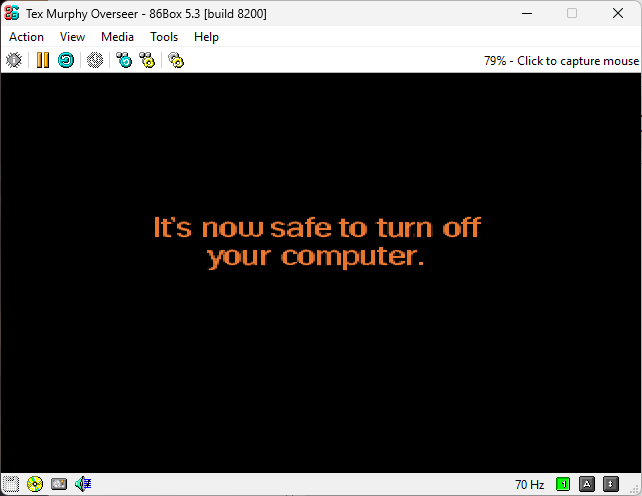
When you’re done playing, make sure to exit the game, shutdown Windows 98, and only turn off 86Box when it shows “it’s now safe to turn off your computer”. This is not a joke, Windows was a fickle wench and hard drives didn’t like sudden shutdowns.
And there you have it. With a bit of work, you should now having a working copy of Tex Murphy: Overseer.

Sources: